
Yes. A VPS can be cancelled at any time through the management panel. After cancelling, your VPS will shut down within the next ten minutes.
BinaryLane is billed by the hour, so once cancelled, we will generate a final invoice within 30 days of cancellation for the number of hours that the server existed (or since you were last billed for that server).
You can click this link to be taken to our 'Cancel VPS' page to quickly cancel VPS' - https://www.binarylane.com.au/mpanel/cancel-vps
To close your account, please see Can I close my account?
To cancel your server:
Choose mPanel view:
- Log in to your BinaryLane account: https://home.binarylane.com.au/login
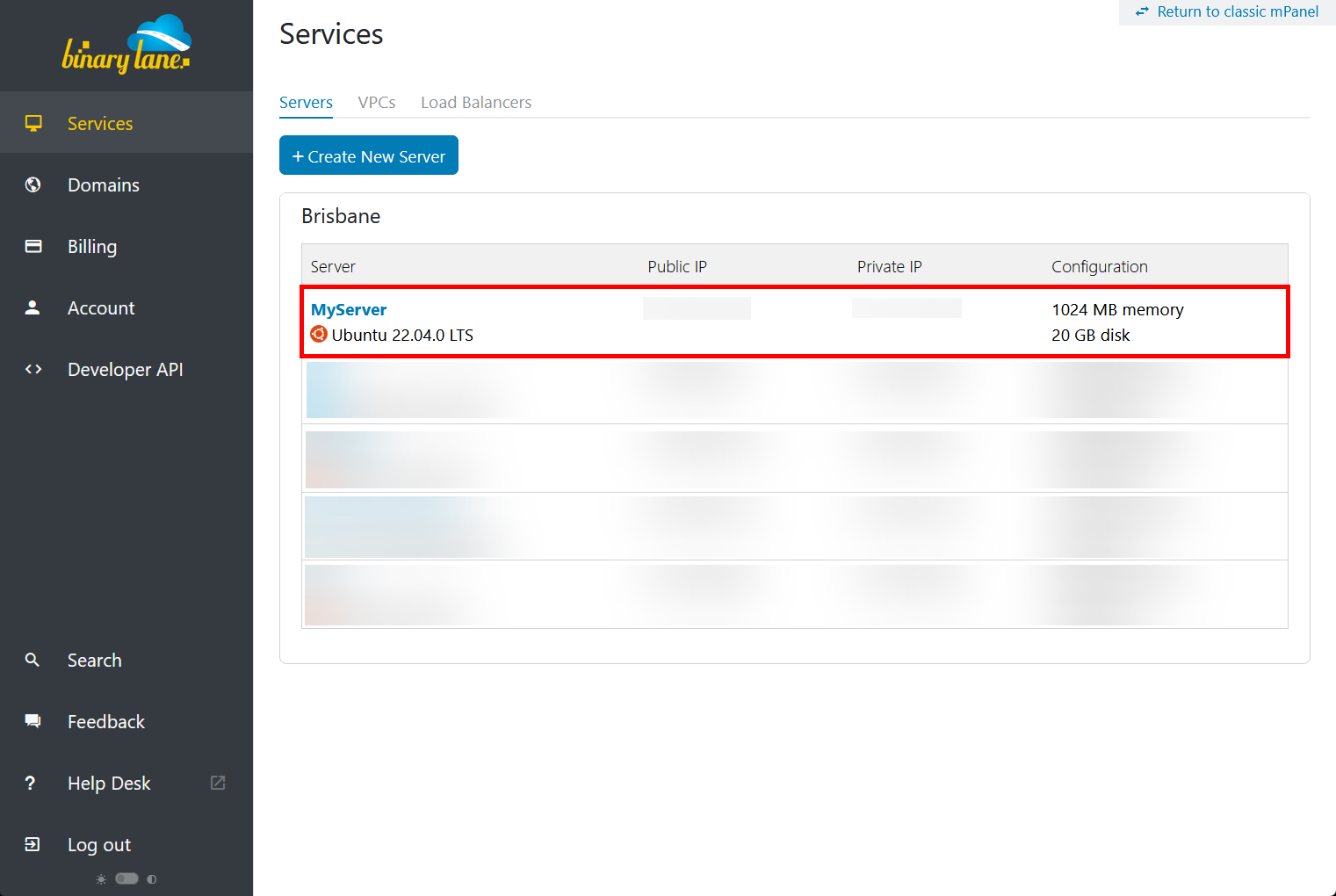
- Select your server:
- In the left-hand pane, choose 'Cancel Server'
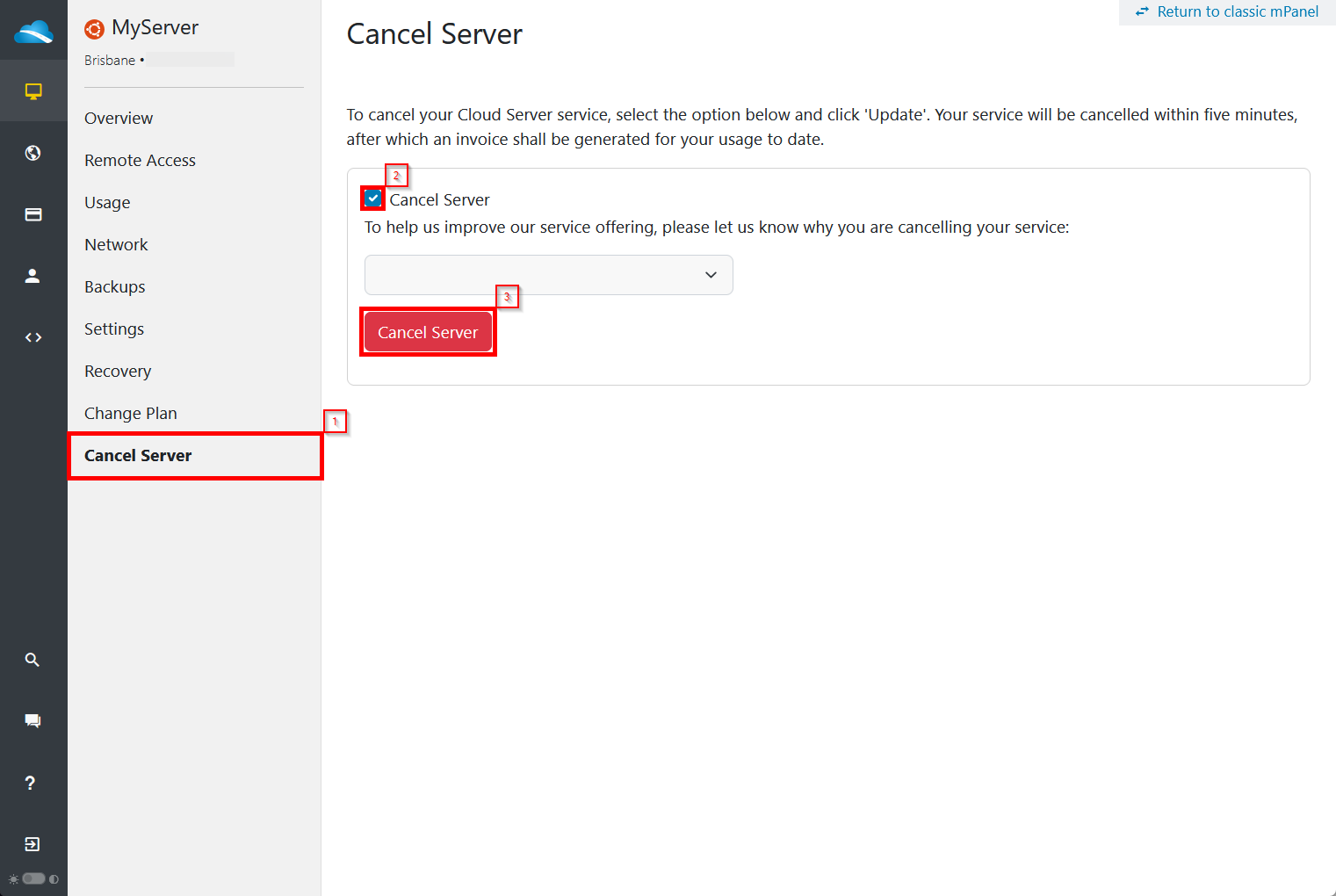
- Check the box next to 'Cancel Server', (optional) choose a selection from the drop down menu, then click '
 '.
'.
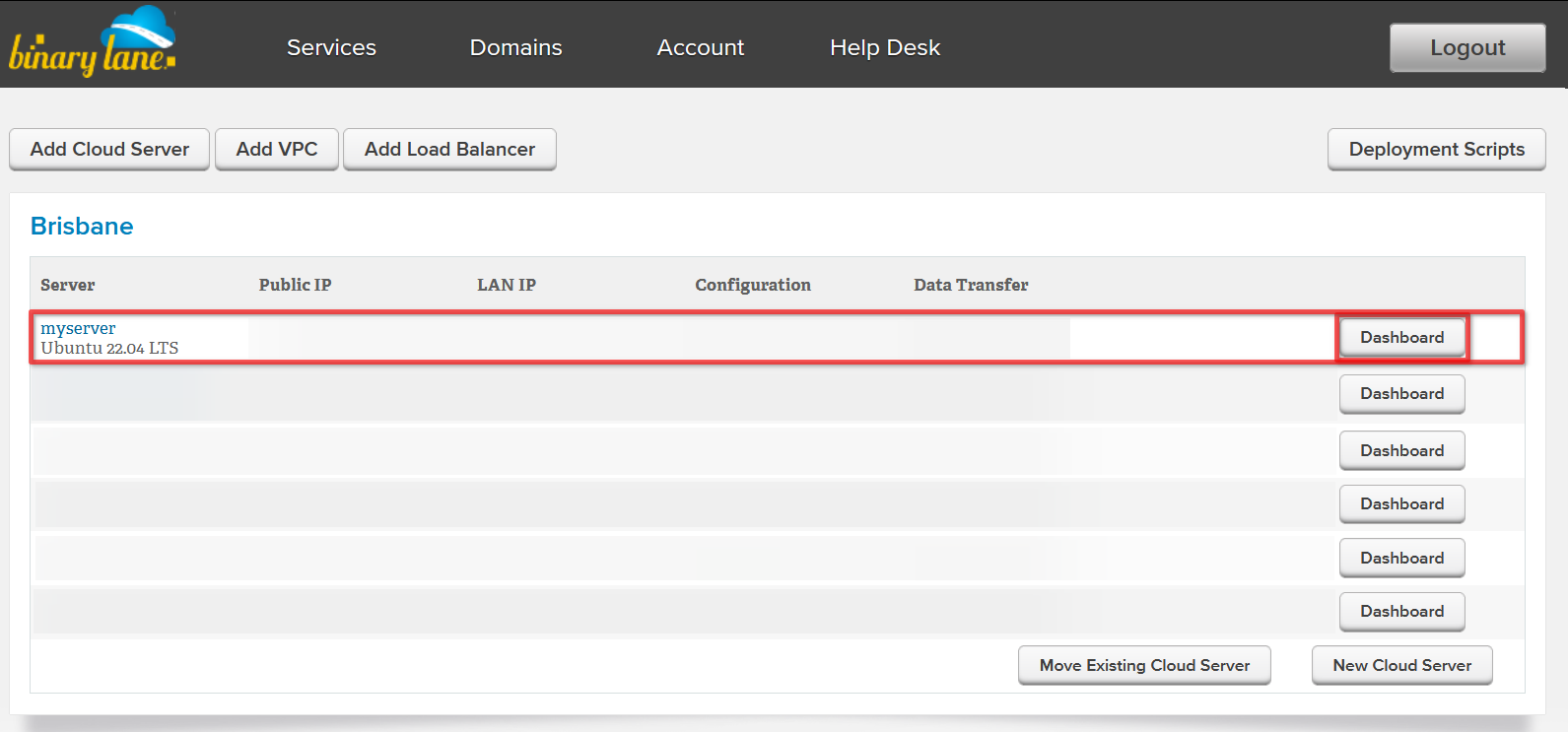
Find your server within the list, then click the 'Dashboard' button:
Select the settings icon (
 ) next to your server's name, then click '- Cancel Server':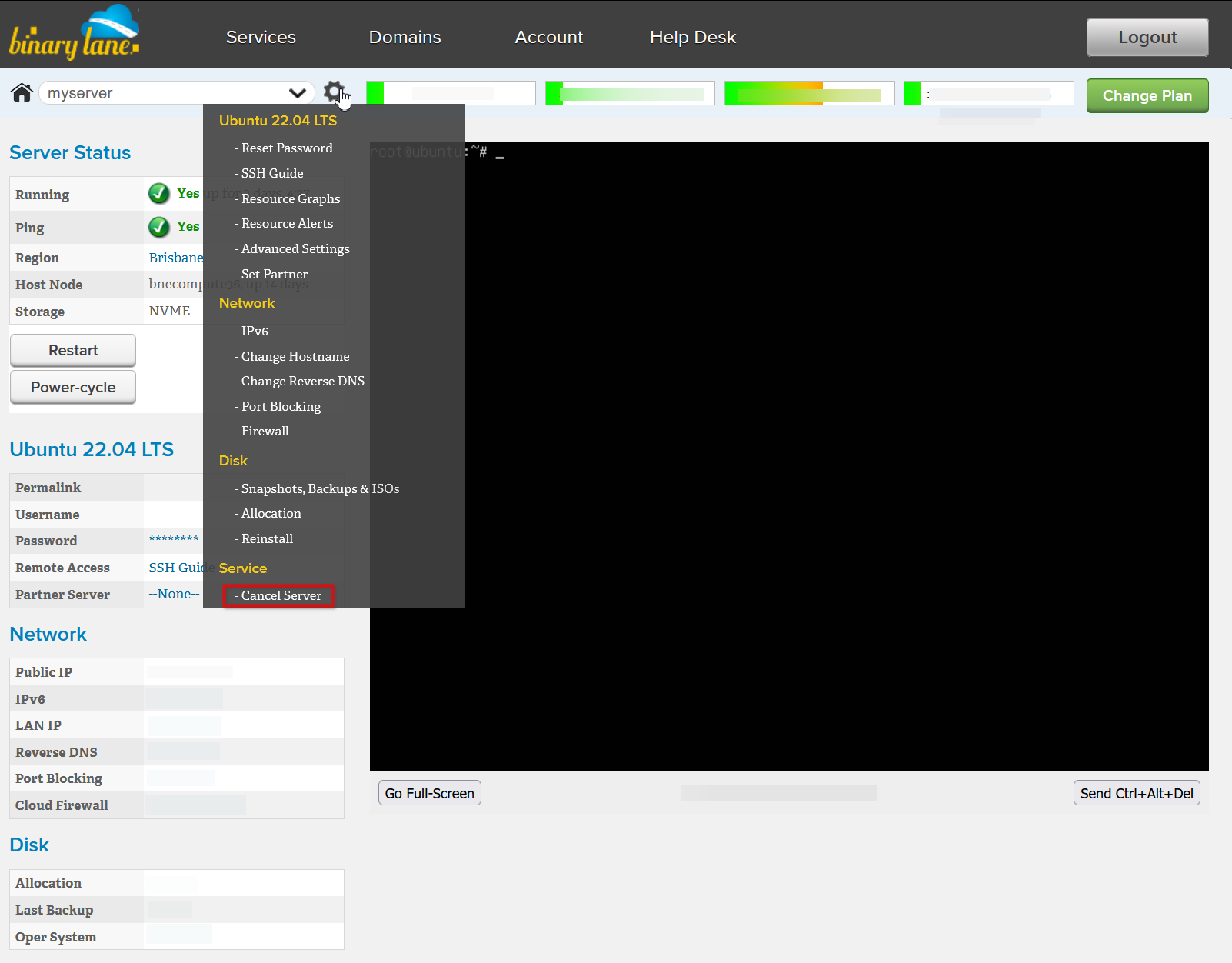
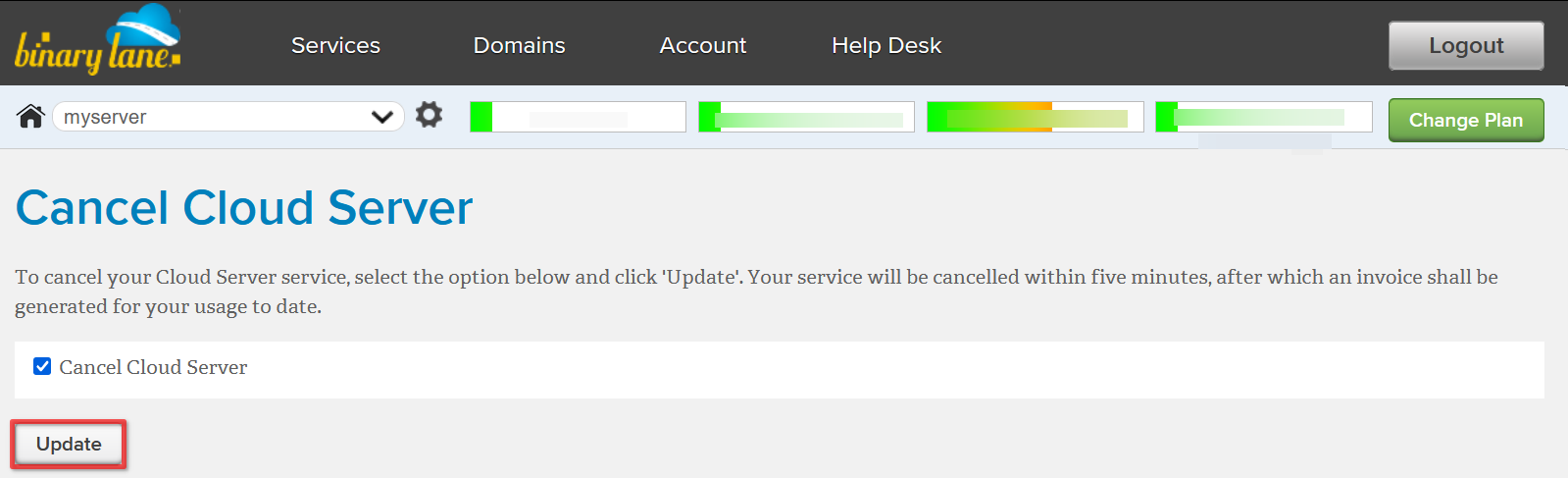
Check the box 'Cancel Cloud Server', then select 'Update' to finalise the cancellation of your server:
Cancelled VPS are automatically deleted from the server list. Short-term servers are usually deleted within an hour of cancellation, while long-term servers may take days to weeks, depending on how long the server subscription was active.
Cancelling is final
Cancelling a server is final: once a server is cancelled it cannot be reinstated or restored. The server is deleted together with its additional IP addresses, disks and backups, so nothing is left on the account that incurs charges for it. If you might need the data, download a backup from the server's Backups tab before you cancel. If you need the same setup again later, create a new server; the old server's IP address cannot be moved to it.
> How will I be billed?