
This guide explains how to update your server's PTR (Reverse DNS) record in BinaryLane mPanel.
The workflow is the same in both Classic mPanel and the newer mPanel interface, and this article shows where to click in each layout.
Prerequisites:
- You can log in to BinaryLane mPanel.
- You have a valid hostname ready for your PTR/rDNS value.
- Your server is already provisioned and visible in your account.
TABLE OF CONTENTS
- What is PTR (Reverse DNS)?
- Update PTR in Classic mPanel
- Update PTR in the new mPanel
- Apply and propagation time
What is PTR (Reverse DNS)?
A PTR record (also called reverse DNS or rDNS) maps an IP address back to a hostname. Correct PTR records are commonly required for email reputation and service validation.
Update PTR in Classic mPanel
Open your server in Classic mPanel:
- Log in to your BinaryLane account.
- Navigate to your server within the mPanel.
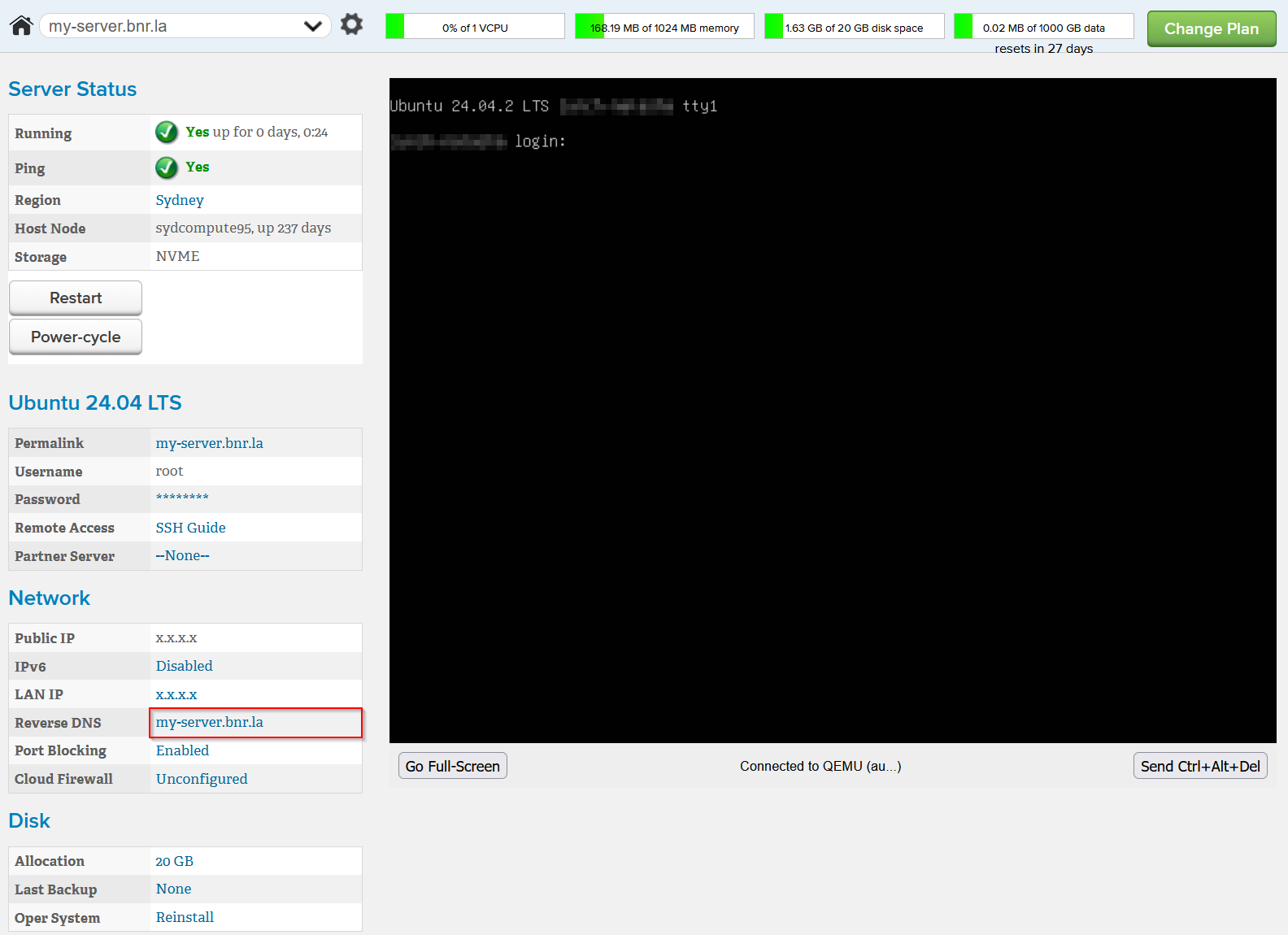
- In the server page, locate the Reverse DNS line in the 'Network' section
- Click the blue hypertext link next to Reverse DNS (you can also access the 'Reverse DNS Name' settings page for your server by clicking the settings icon (⚙️) followed by selecting 'Change Reverse DNS').
Set the PTR value:
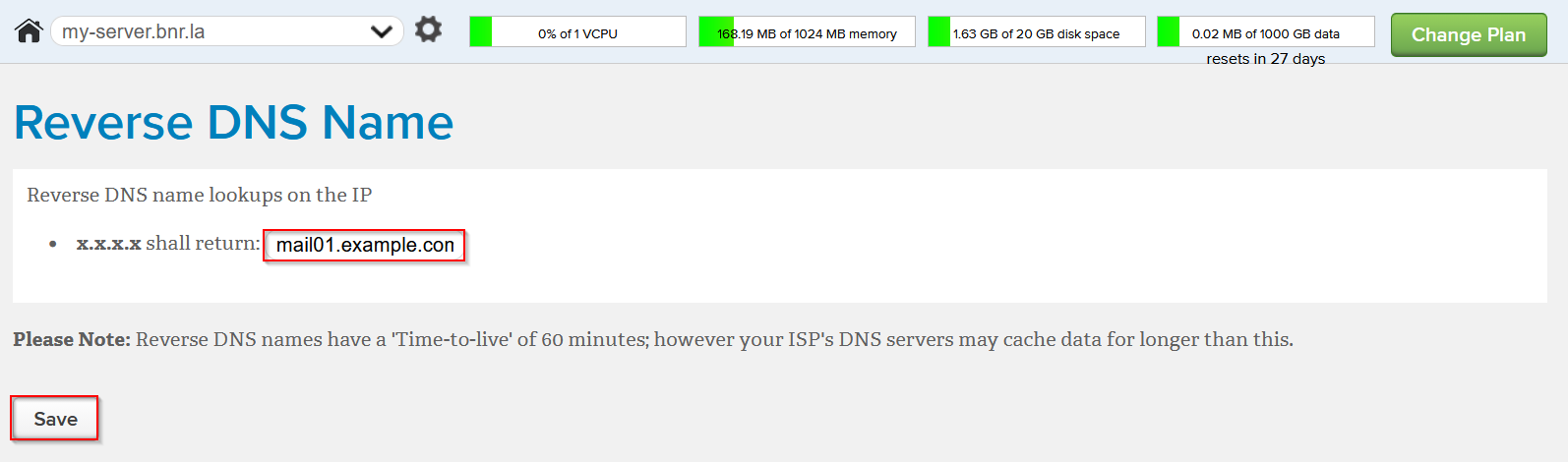
- Enter the hostname you want for reverse DNS.
- Click
 .
.
Update PTR in the new mPanel
Haven't got access to the new mPanel yet? Click here: https://www.binarylane.com.au/mpanel/switch
Navigate to your server within the new mPanel:
- Log in to your BinaryLane account.
- Navigate to your server within the mPanel.
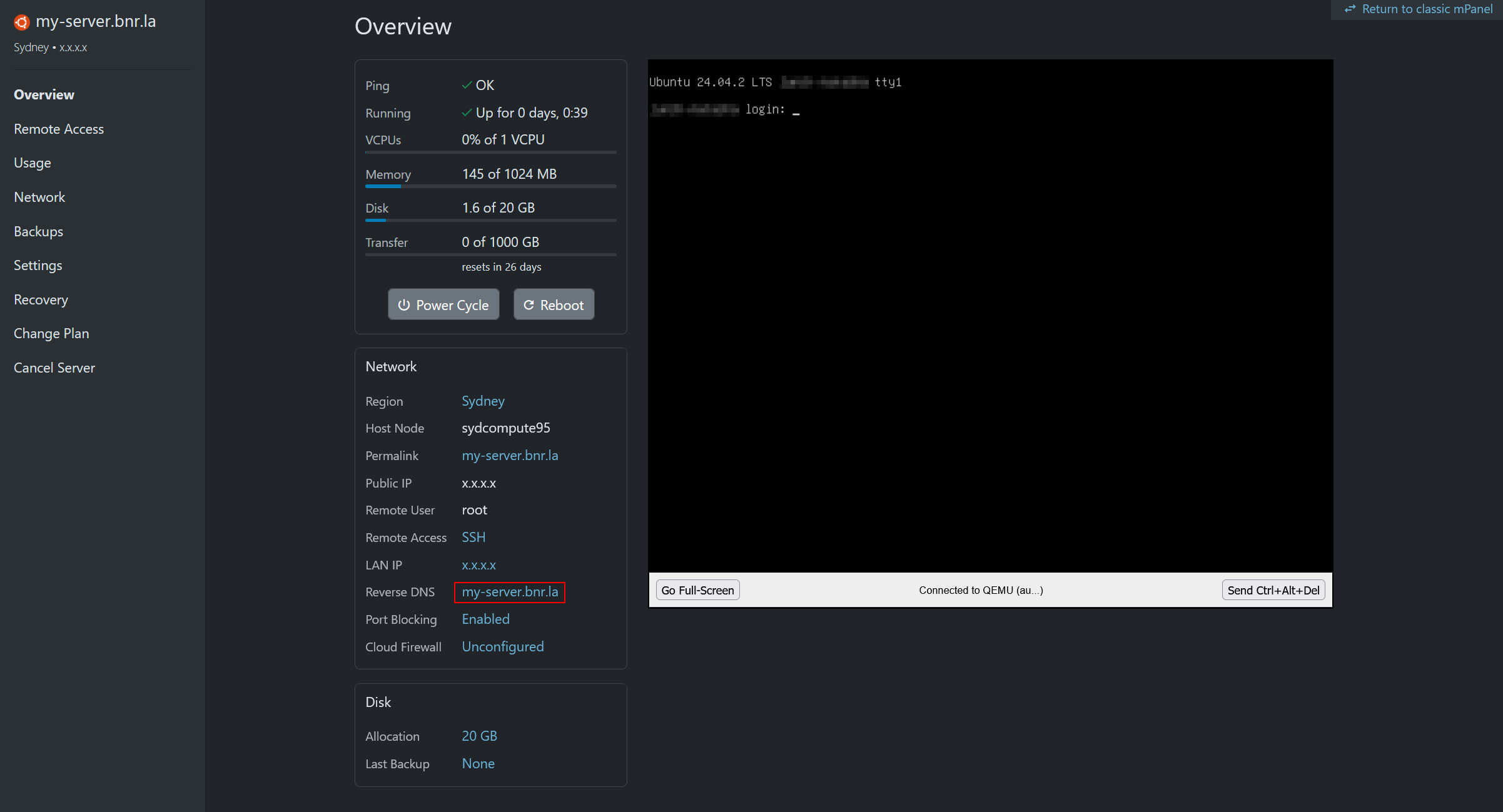
- Find the Reverse DNS row.
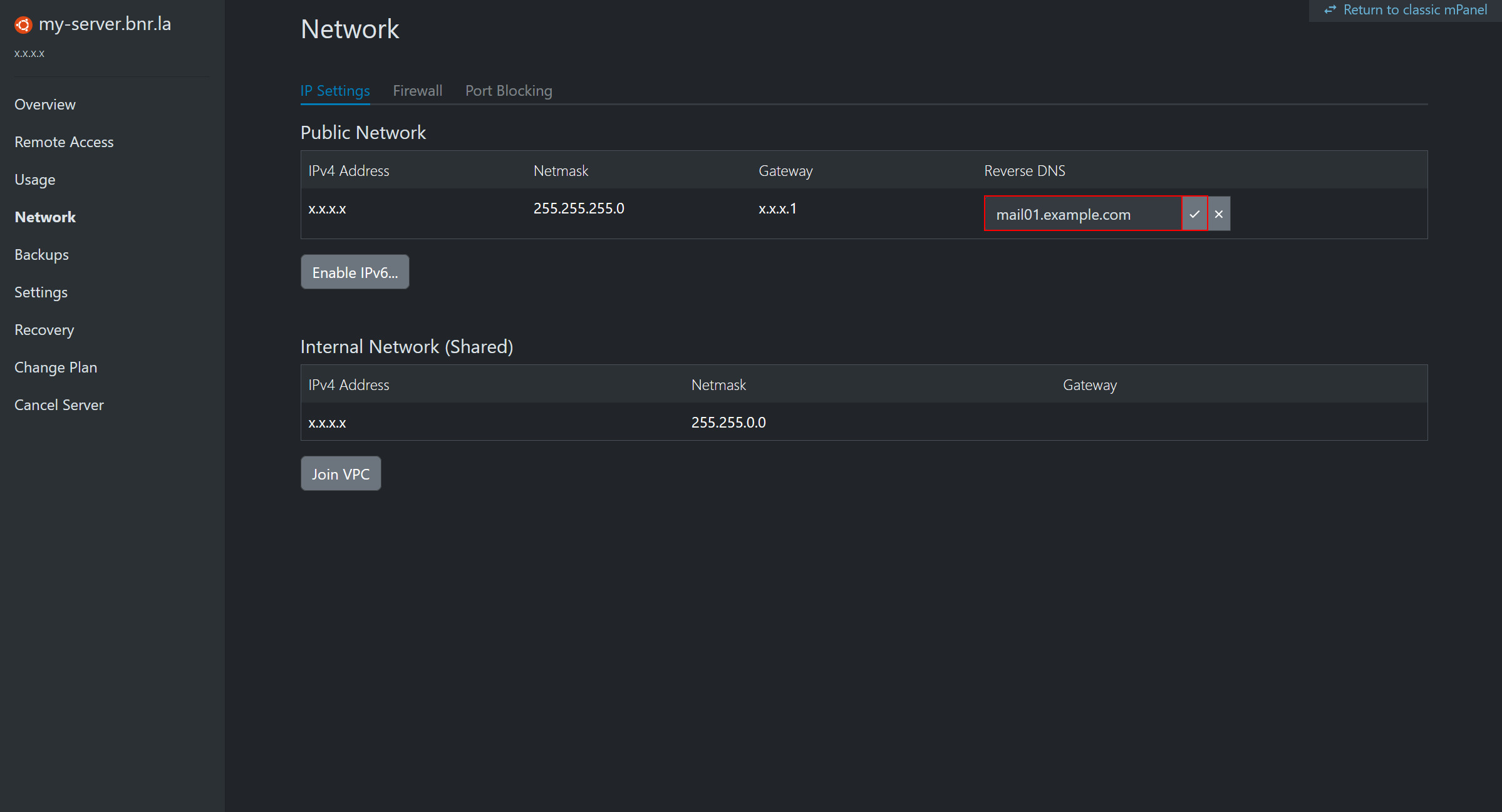
- Click the same blue hypertext link next to Reverse DNS (you can also access the 'Reverse DNS Name' settings page for your server by clicking 'Network' from the left-hand pane).
Set the PTR value:
- Click the 'Edit' button next to the current rDNS.
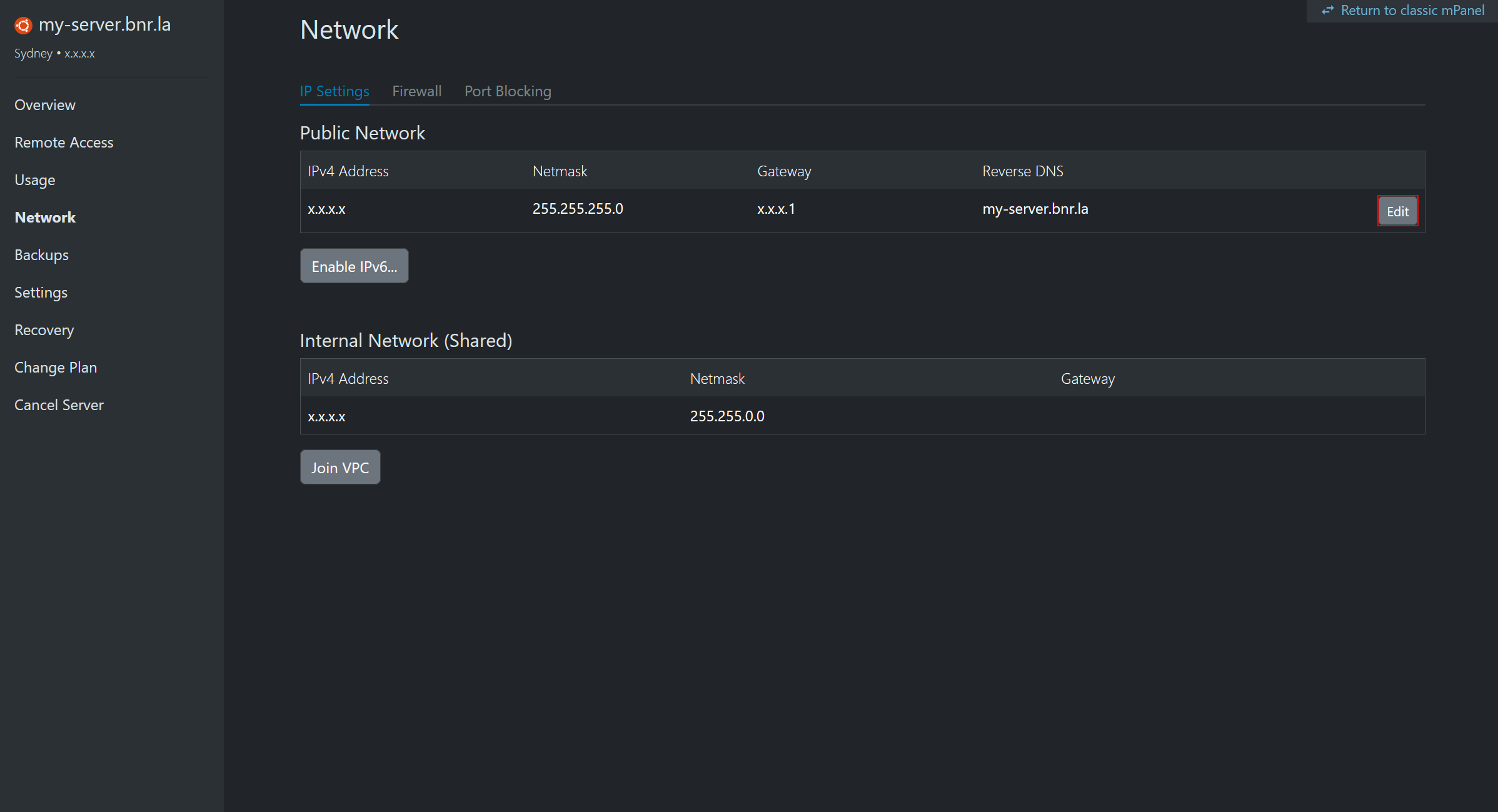
- Enter the hostname you want for reverse DNS, then click the 'Tick' button to save.
Apply and propagation time
Important
PTR/rDNS updates can take up to 12 hours to fully propagate.
After saving, allow time for DNS propagation before testing email delivery or reverse lookups.
Verify the change:
You can verify the reverse DNS record using common lookup tools once propagation has completed.
If you need assistance, Submit a ticket | BinaryLane